Viewing Quality Services offered by status in CQRS National – video
Non-urgent advice: Need help?
If you need help with CQRS, you can log a call with the service desk. Please email: support@cqrs.co.uk or call 0330 124 4039.
Service Providers are alerted that a Quality Service offer has been made to them by the Message Centre on the CQRS Home screen. This job aid outlines how to view offered services and how to accept or reject them.
This job aid is aimed at Service Providers with the role of ‘Service Management’.
Note: The data that appears in this job aid is for training purposes only and does not represent actual data.
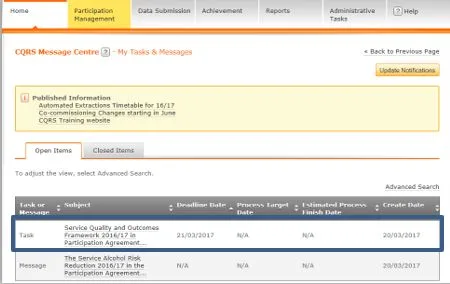
2. View the offered Quality Service by either selecting the Task Summary link or the Participation Management tab.
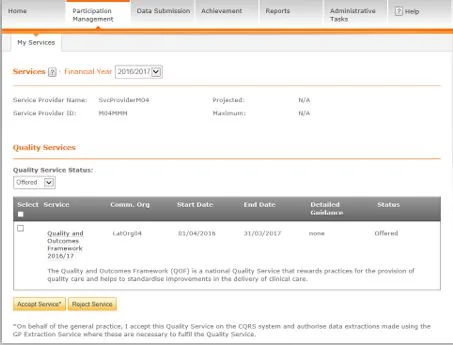
NOTE: By default, the My Services screen displays all offered Quality Services for the current financial year.
Although you can accept or reject the Quality Service by selecting the checkbox next to the service name and selecting either the Accept Service or Reject Service button, you should always view details of the Quality Service offer before deciding the appropriate course of action.
3. To view details of the offer, select it from the list of services by selecting the service name.
4. For the QOF, the top-level domains (Clinical, Organisational, Patient Experience and Additional Services) display as appropriate.
5. Each domain can be expanded and viewed by selecting the coloured arrows on the left.
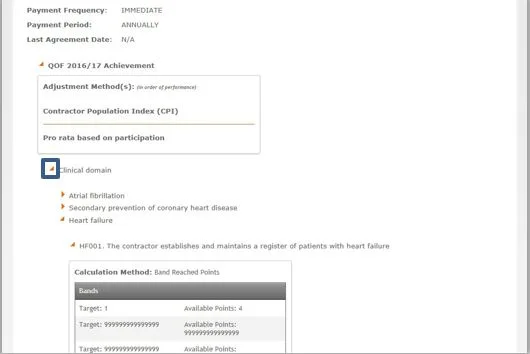
6. Once you have reviewed the Quality Service details and are ready to accept or reject it, select the Back to Select a Quality Service link in the upper right of the screen.
7. The Service details screen displays again. Select the checkbox to the left of the Quality Service and then select either the Accept Service or Reject Service button.
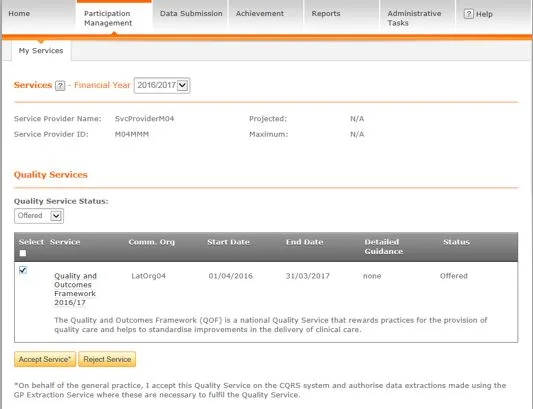
8. A confirmation message displays to make sure that you wish to accept or reject the selected service. Select the Yes button to confirm your selection.

9. CQRS displays a confirmation message that the Quality Service has been successfully accepted or rejected.

NOTE: If you reject the offer, the Commissioning Organisation will receive a message informing them of your action in regard to the offer. If you accept the offer, the offer is automatically moved into the “Approved” status and no additional notifications are sent to the Commissioning Service regarding the offer’s acceptance.
As a Service Provider, you can view all Quality Services you are participating in, including their status, from your Participation Management screen. This job aid outlines the steps and filters you can use to view offered Quality Services and their status.
This job aid is aimed at Service Providers with the role of ‘Service Management’.
Note: The data that appears in this job aid is for training purposes only and does not represent actual data.
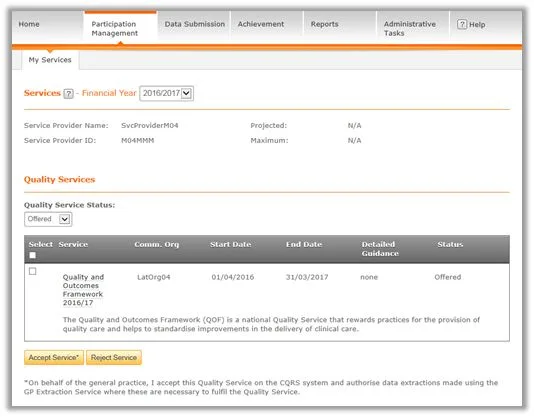
NOTE: By default, the My Services screen displays Offered Quality Services for the current financial year.
2. Use the Quality Service Status filter to view:
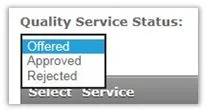
3. If no Quality Services are in this status, a blank panel will display.
Version: v2.0
Commissioning Organisations are able to use the Participation Management process to view the Quality Services that have been offered to or withdrawn / cancelled from the Service Providers, as well as Quality Services accepted or rejected by Service Providers. This job aid outlines the steps required to filter and view Quality Services by status.
This job aid is aimed at Commissioning Organisations with the role of ‘Commissioning Management’.
Note: The data that appears in this job aid is for training purposes only and does not represent actual data.
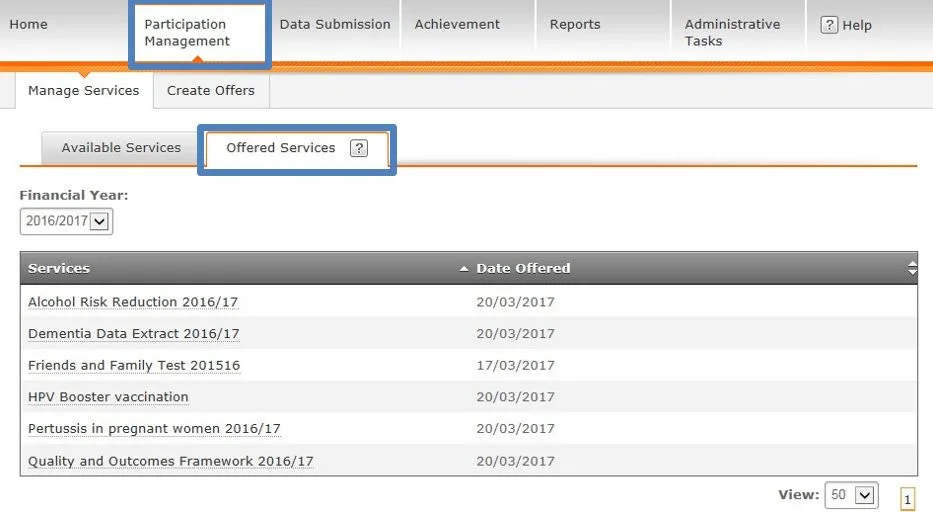
NOTE: Quality Services offered in the chosen financial year display by default. Using the Financial Year dropdown, you can filter these by financial year.
2. At this level it is not possible to view which Service Providers have been offered a Quality Service. This can only be achieved by drilling down into individual services. To do this, select the Services link of the Quality Service you wish to view.
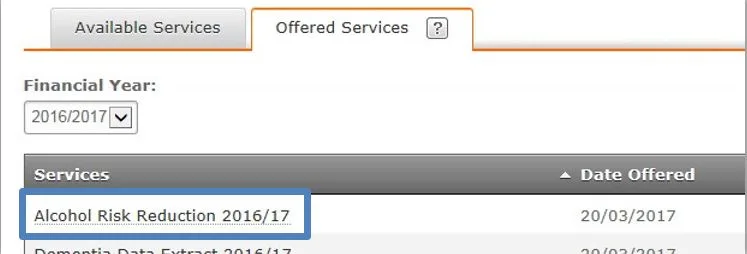
3. In the Associated Service Providers panel, you can see which Service Providers have been offered the Quality Service.
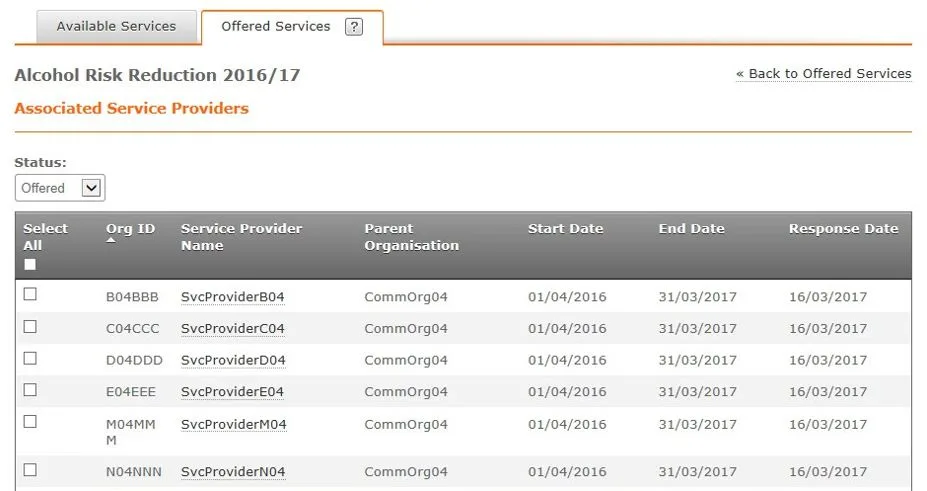
4. The Status dropdown allows you to filter the list of Quality Service offers by:

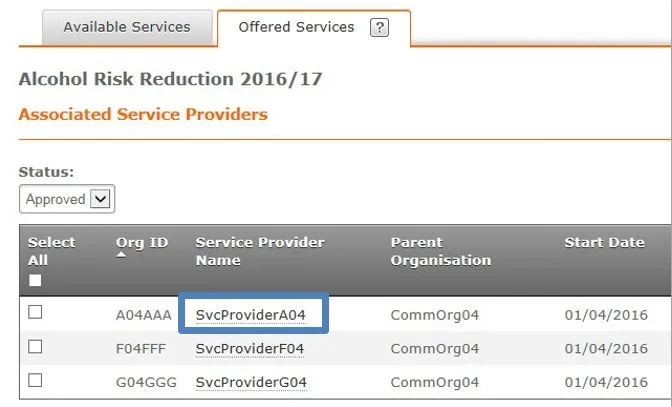
3. All Quality Services offered to the Service Provider display.
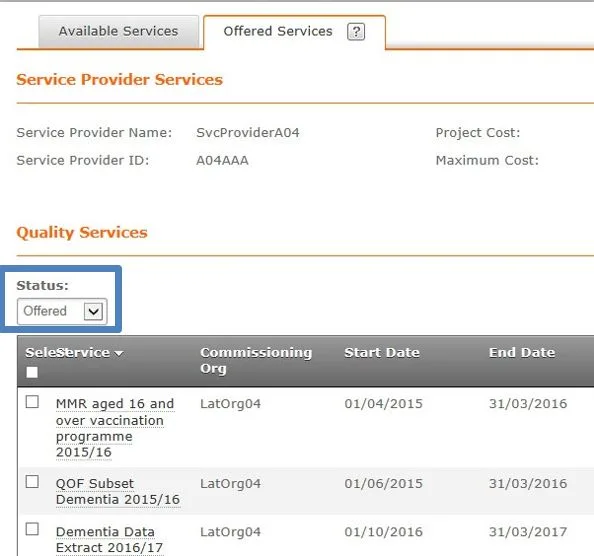
NOTE: As with the Quality Service detail screen, the Status dropdown allows you to filter the Quality Services in which this Service Provider has been offered: